
FAQ
You've got questions and we've got answers!
Below are the most frequently asked questions about the service and how it works. Scroll through to find out more about this service and how you can incorporate it into your business.
How it works
Finding and coordinating outfits for couples, families, maternity or
high school graduation photos shouldn’t be hard!
How do I offer this to my clients?
Once you are a member you will receive a welcome email with instructions. You can style your clients and email them tailored results or you can hand the styling process over to your clients and allow them access to the questionnaire/results.
What types of sessions can I style?
Couples, Families, Maternity and High School Graduation sessions can be styled using this resource. We do all the leg work in finding photo approved clothing items, linking them to the correct stores and putting everything in certain categories to match the look you are going for.
What are Styling Codes?
Styling access codes are used to unlock the questionnaire to begin the styling process! Once a member, you can create a custom styling code linked to your account. Members also have the ability to create a styling code for each family/client or create monthly ones to give to clients that all have booked sessions in the same month. Once that month has passed – you can delete the code to ensure clients do not use at a later date or share with others.
Client says my styling code is invalid.
If a client is saying they are getting an invalid code when trying to access the Questionnaire – chances are, either your membership has expired or it is simply user error. Please login to your account and renew your membership to reactivate your codes. If your membership is still active the best way to test for user error is to try it yourself. Click on your personal styling link (button located at the top of your member account) and enter the styling code you provided your client. If the questionnaire unlocks, then you know the client has made an error along the way. The best way to avoid client error is to send them your personal styling link URL and styling code, not the main Style & Select website. Your personal styling URL will bypass the main site and have your email already filled in for the client.
What Questions are on the Styling Questionnaire?
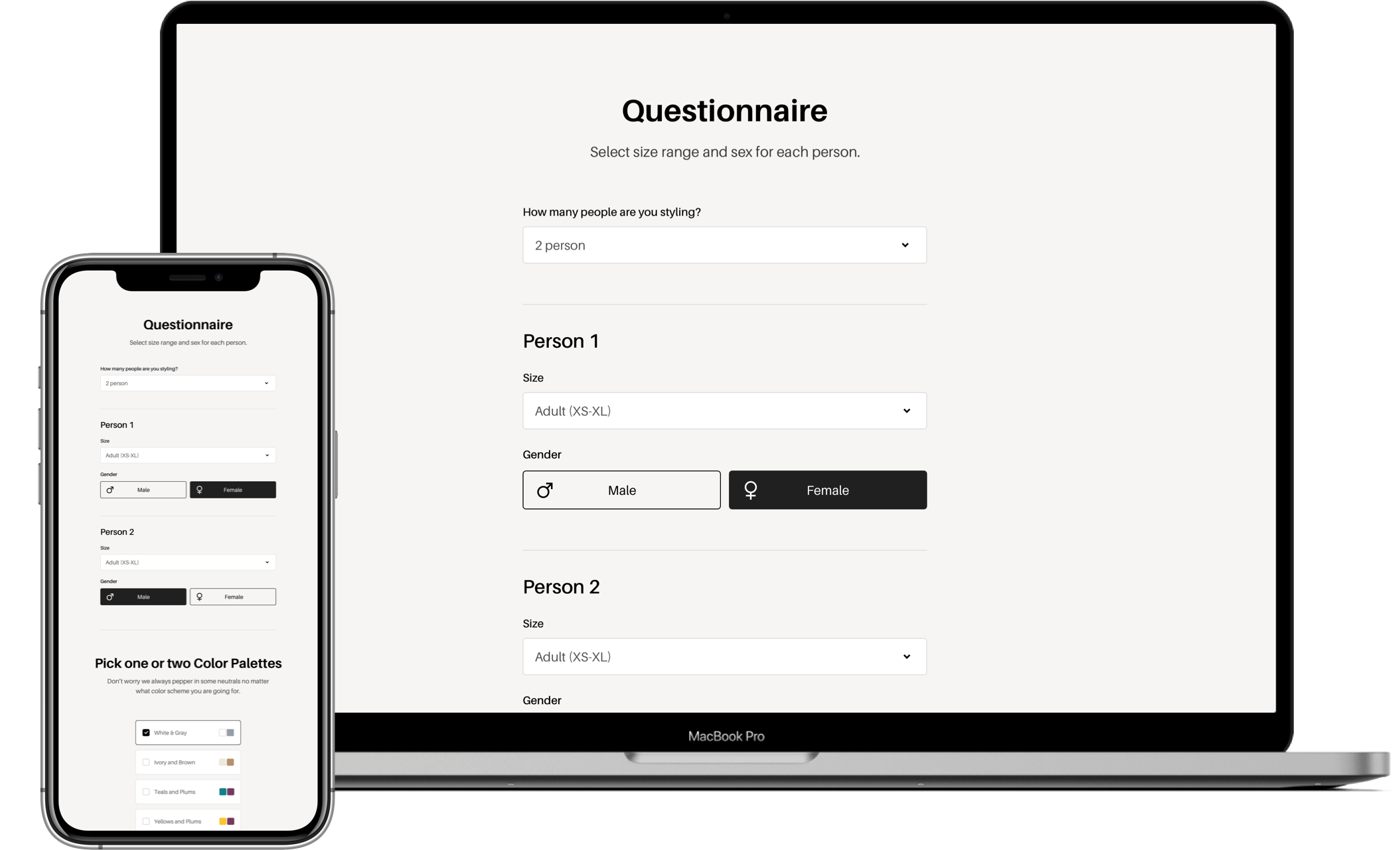
All of the important info is collected on the questionnaire! How many people, their genders, sizes, and the color scheme and color tones you prefer.
How can I use Style & Select with my Client Closet?
You have the ability to add photos of your entire client closet into a “library” and these photos will show up in the results every time. That way you can incorporate your own pieces along with items from Style & Select Results when coordinating outfits.
What Retailers Do You Use and What Sizes Are Offered?
We pull from a lot of big name box stores such as Target, H&M, Free People, Torrid, Gap, etc, as well as, smaller online boutiques that offer unique items! Our goal is to provide budget friendly options ranging from $10-$90, with the exception of a few higher priced items ($150+) sprinkled through out each color combo. We include Maternity, Plus Size, Adult S-XL and kids ranging from 0-24 months to 14Y
How Often are Results Updated?
Style & Select is a team of 4 women adding and deleting clothing items on a daily basis. We strive to add a minimum of 50 new items per day and remove sold out or nearly sold out items on a weekly basis.
How Do I Pick Clothing Items in the Results?
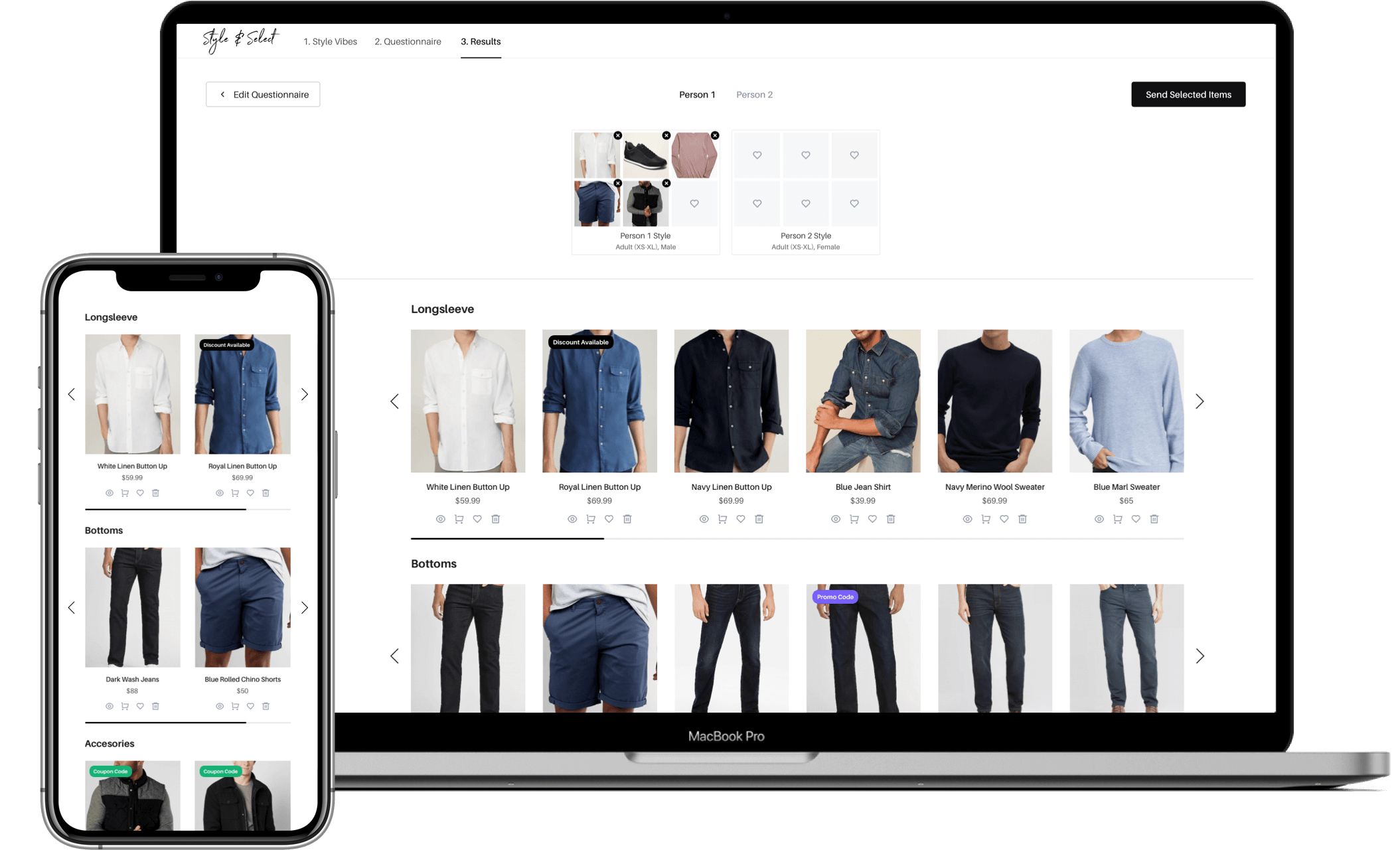
After filling out the questionnaire, your results will show you curated items that fit the age group and colors. You can select items to begin the coordination part by clicking the heart symbol on the item. This will pull your selected item into the top coordination bar and you can visually see how things will coordinate next to each other. Cohesive outfits are key!
How can I be included on the map?
The map is a new feature that is a huge perk for our members. If you are a member you can login to your account and add information to your profile that will show up on our Find a Photographer Map.
How Are Outfit Selections Saved?
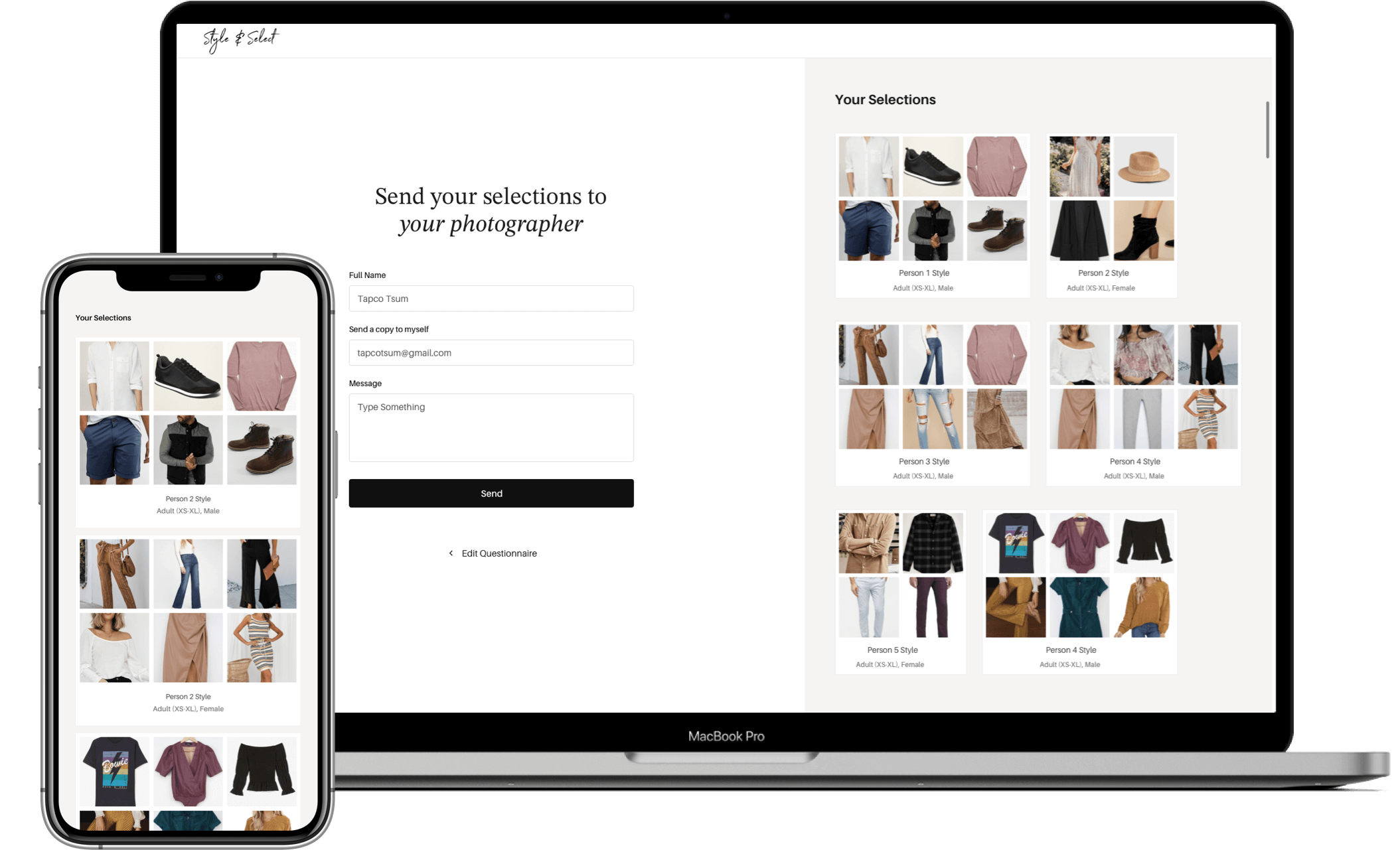
You or your client can only save outfit combinations by email. When you or your client are finished with the coordination process and have everyone styled, there is an email button that sends photos, shopping links and even a custom message! These emails are logged into your member account area under “Emailed Selections” tab.
I'm not in the U.S. Will this service work for me?
Style & Select can be accessed from anywhere, but it is a US based site. We pull from several International retailers and even small boutiques that are located outside of the US. However, we cannot guarantee that 100% of the result items can be shipped to your exact location and we are not responsible for currency rates and shipping fees. If you are wanting to offer this service, email us and we will provide you with a membership discount. A majority of our International members use the Results to help their clients visualize how to coordinate and look for when shopping locally.
What if My Client Doesn’t Want to Buy New Things?
That is perfectly fine! In fact, we encourage them to use as many items from their own closets as possible. Style & Select results can be used as a visual tool to help them pull basics from their own closets, used as a guide when shopping locally or they may only purchase a few key pieces from their Result Email.
How do I cancel my subscription?
You can cancel your monthly or annual subscription at any time. Login to your account and click on Settings and then Subscriptions. There you will find a button to cancel your membership. We do not offer refunds for canceling after that month has already been billed or for the annual plan you are currently in. Once you have canceled your account will disable at the end of your billing period. If you do not see a cancellation button, chances are that you have already cancelled your plan and it will remain active until your subscription ends. If you want us to verify that it is cancelled, feel free to email us at [email protected].
15 day trial plans require no cancelling – they are a 1 time fee.